Wi-Fi Router and Mesh Guide 2026: Faster Home Internet
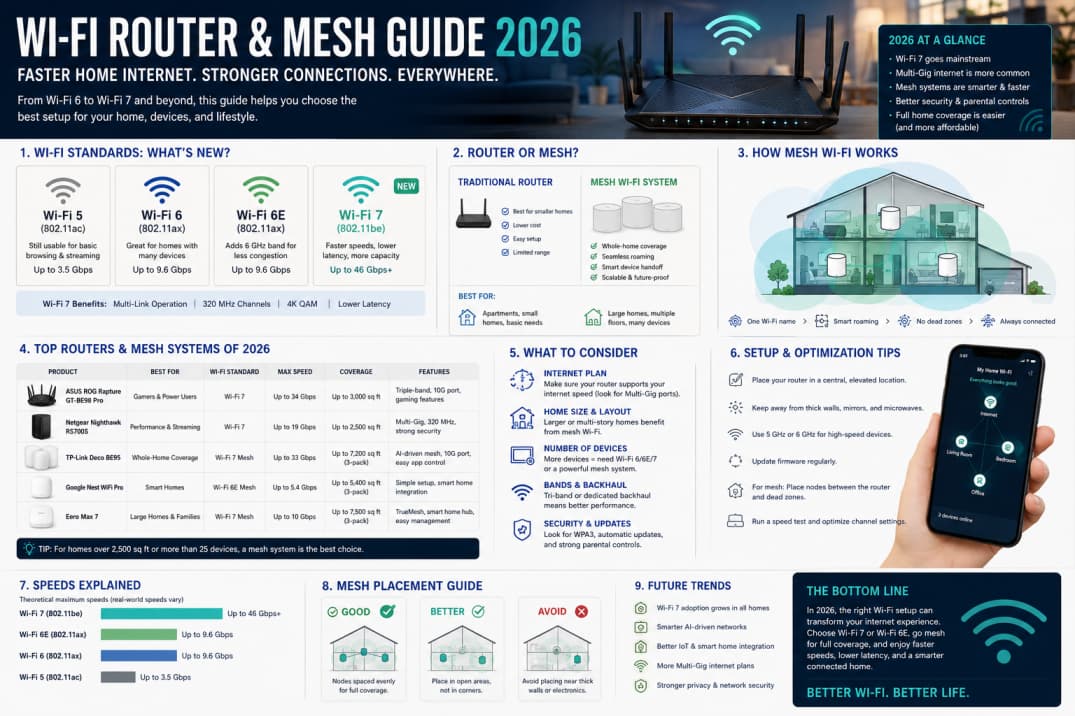
Home internet feels broken when video calls drop in the bedroom but work fine next to the router. In 2026, mesh Wi-Fi and Wi-Fi 6E hardware are affordable fixes if you diagnose placement and interference first.
Router vs mesh systems
Single routers cover small apartments well. Mesh kits place nodes around the home to relay signal, ideal for multi-story houses, thick walls, or backyard offices. Avoid cheap extenders that halve bandwidth on a hop.
Wi-Fi 6 and 6E explained
Wi-Fi 6 improves efficiency with many devices. 6E adds a 6 GHz band with less congestion if your phones and laptops support it. Future-proofing is optional—upgrade when you replace core devices.
Placement basics
Center the primary node, elevate it, and keep it away from microwaves and metal cabinets. Ethernet backhaul between mesh nodes performs better than wireless backhaul in large homes.
Security settings
Change default admin passwords, enable WPA3 if available, and separate guest networks for visitors and IoT gadgets. Firmware updates patch vulnerabilities—turn on automatic updates when offered.
ISP modem confusion
You may need modem-only mode or bridge mode to let your router control the network. Call ISP support if speeds differ dramatically between wired and wireless tests.
Testing speeds correctly
Use wired Ethernet for baseline speed tests, then wireless in each room. Repeat at peak evening hours when neighbors congest the airwaves.
Bottom line
Mesh plus thoughtful placement solves most home dead zones. Buy for coverage area and device count, not megabit numbers on the box alone.